
Karaoke song requests from every phone in the room
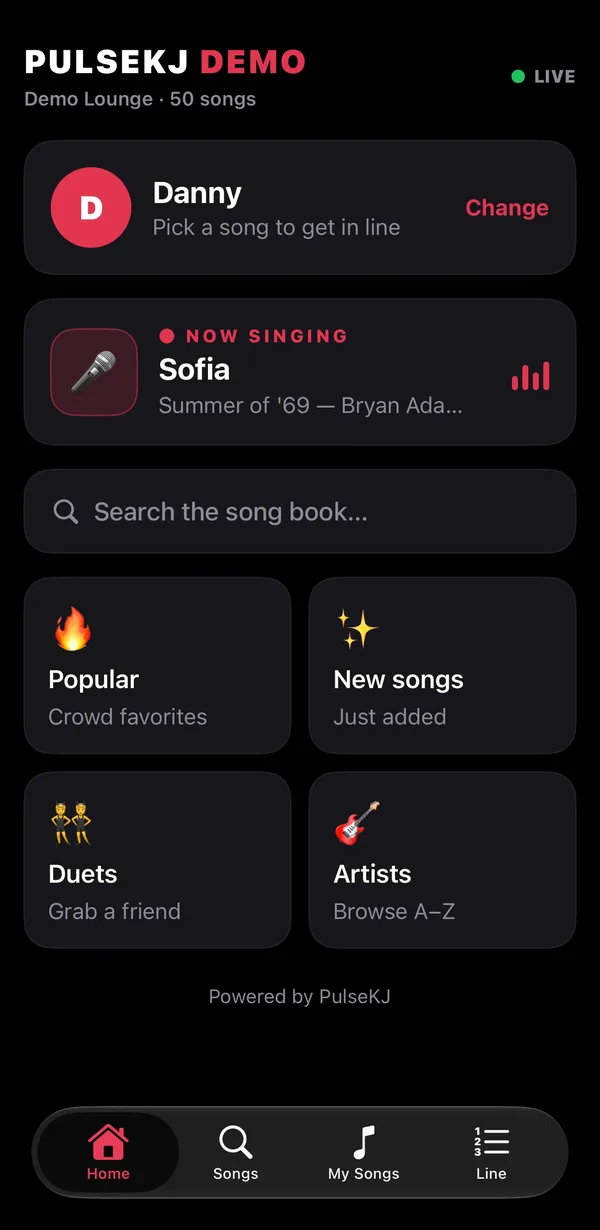
PulseKJ turns every phone in the room into your karaoke song book. Guests scan a QR code, search your whole library and send song requests from their seats — you accept them with a tap, and they go straight into a fair rotation.
How the karaoke song request system works
- Start your show. Each venue gets its own 6-digit PIN and a QR code, shown on your singer screen between songs.
- Guests join from any phone. They scan the QR code or open the free PulseKJ app and pick your venue from the “Live now” list. No venue Wi-Fi, no accounts.
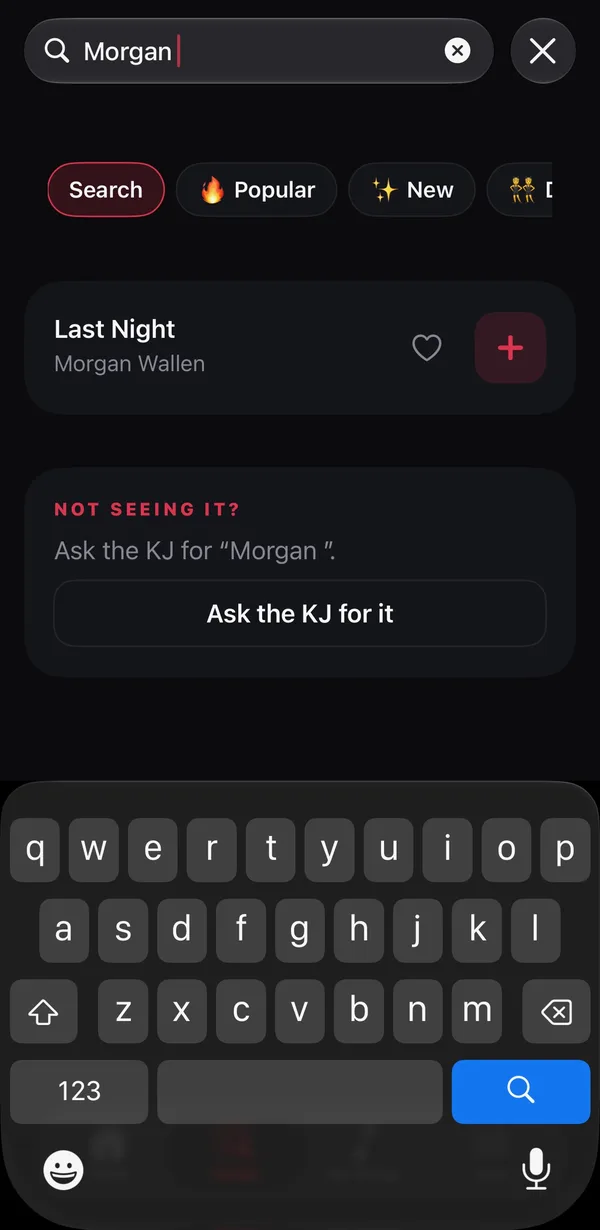
- They browse your song book. One search box for title or artist, plus Popular, New, Duets and Artists A–Z. Misspellings are worked out for them.
- Requests land in your drawer. Grouped by singer with In rotation / Returning / New badges. Accept one, or all at once.
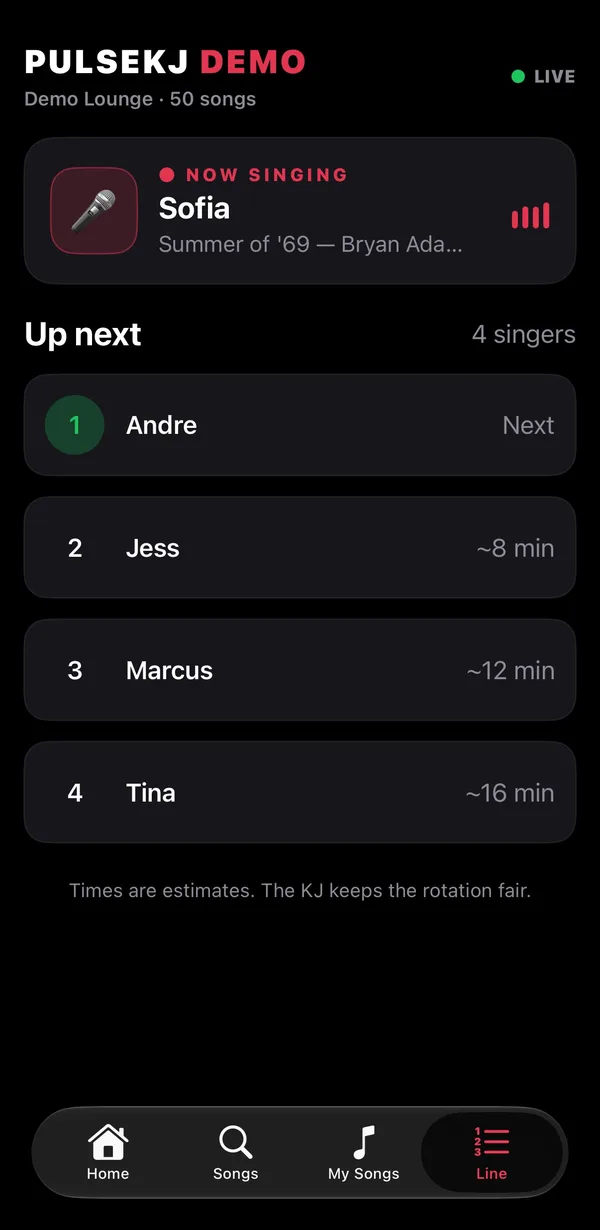
- Singers watch their spot. Their place in line and wait time update live, and app users get a notification when they’re two away and when they’re next.
Built for busy karaoke nights
No more paper slips
Requests arrive spelled right, with the exact track from your library — no guessing which version they meant, no lost slips.
Duets and requests for friends
Guests can add a duet partner or put a song in for a friend, and you see exactly who’s singing.
Missing songs become your wish list
“Ask the KJ for it” checks your library under other spellings first, then adds the real song name to your wish list. When you add the song, the guest sees “We got it!”
Know who’s connected
Your footer shows how many phones are following the show right now, and returning singers are greeted by name at your venues.
Your brand, not ours
The request page and app show your show name, logo and colors, and an optional tip page with your tip link.
Questions about song requests
Do guests need to join the venue's Wi-Fi?
No. Requests travel over the internet, so guests use their own phone data or any Wi-Fi. Only your Mac needs a connection.
Do singers need to download an app?
No. The QR code opens a request page in any phone browser, iPhone or Android. The free PulseKJ app for iPhone adds “you’re up next” notifications.
Can guests see songs I don't have?
Guests only see your song book. If they can't find a song they can ask you for it, and it lands on your wish list.
What happens if the internet drops?
Your show keeps running: songs, rotation and singer screen are all on your Mac. Requests pick up again when the connection is back.
Part of PulseKJ, karaoke hosting software for Mac
Phone requests are built into PulseKJ alongside the rotation, instant key changes, singer screen and break music. See every feature.